

Expense Tracker App vs Excel Spreadsheet: Which Is Right for You?
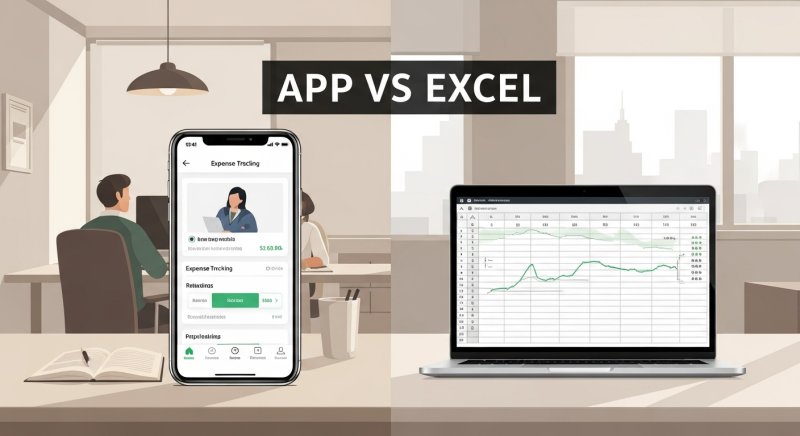
Choosing the right financial tool is one of the most important decisions you will make when building sustainable money habits. Whether you want to curb daily impulse purchases or understand why you cannot save money even with a good salary, consistent record-keeping is essential. When you systematically monitor your outgoing funds, you gain immediate clarity on where your paycheck actually goes.
For years, spreadsheets like Microsoft Excel and Google Sheets were the standard choice for managing personal budgets. Today, dedicated mobile expense tracker apps provide fast, on-the-go alternatives. But which option fits your daily routine best? In this guide, we compare expense tracker apps against Excel spreadsheets across accessibility, speed, debt tracking, and overall usability so you can make an informed choice.
Excel Spreadsheets: Complete Control with Higher Effort
Excel and Google Sheets offer endless customization. If you enjoy building complex formulas, designing custom charts, and tailoring categories to your exact specifications, a spreadsheet provides complete freedom.
Pros of Excel Spreadsheets
- Total Customization: You can create custom mathematical formulas, pivot tables, and unique color-coded layouts.
- No Feature Restrictions: You are not locked into pre-defined app layouts or fixed categories.
- Data Ownership: Your financial data remains in a file on your personal device or private cloud storage.
Cons of Excel Spreadsheets
- High Friction on Mobile: Editing complex columns on a mobile phone screen is clunky and slow, which leads to forgotten entries.
- Manual Setup Required: Building dynamic summaries, monthly carryovers, and formulas requires technical knowledge and ongoing maintenance.
- Lacks Immediate Debt and Event Tracking: Managing split bills, micro-loans to friends, or dedicated project budgets requires complex nested sheets.
Expense Tracker Apps: Speed, Mobility, and Simplicity
Mobile expense tracker apps are engineered specifically for quick, real-time entry. Instead of waiting until you get home to sit at a laptop, an app allows you to log a transaction in seconds right at the register.
Pros of Expense Tracker Apps
- Instant Logging: You can log expenses immediately after paying, drastically reducing missed transactions.
- Built-In Budgeting Tools: Most apps come pre-configured with category limits, instant summaries, and progress bars.
- Specialized Financial Features: Purpose-built apps easily handle complex tasks like tracking lent money, recurring bills, or isolated project costs.
- Everyday Convenience: Your phone is always with you, making financial discipline a natural habit.
Cons of Expense Tracker Apps
- Less Visual Customization: You must operate within the app interface design and predefined reports.
- Device Dependency: Mobile apps rely on smartphone hardware, requiring clear data sync options or strong offline capability. If offline functionality matters to you, explore offline expense tracking benefits and best practices to keep your data accessible anywhere.
Excel vs Expense Tracker App: Side-by-Side Comparison
| Feature / Metric | Excel Spreadsheet | Expense Tracker App |
|---|---|---|
| Ease of Daily Entry | Slow (requires computer or desktop-like mobile layout) | Instant (optimized for touchscreens) |
| Setup Effort | High (requires manual formulas and formatting) | Zero to Minimal (ready out of the box) |
| Budget Monitoring | Manual formulas required | Automatic categorization and budget caps |
| Tracking IOUs & Debts | Requires complex custom tables | Built-in loan and repayment tracking |
| Event/Trip Budgeting | Requires separate manual tab creation | Isolated event expense tracking features |
| Accessibility | Best on desktop laptops | Best on smartphones for on-the-go logging |
Which Tool Should You Choose?
Your ideal tool depends entirely on your financial workflow and daily routines:
- Choose Excel if: You prefer working on a desktop screen, enjoy building bespoke mathematical models, and do not mind setting aside time once a week to log receipts manually.
- Choose an Expense Tracker App if: You want fast, frictionless entry, need to track every rupee you spend as it happens, and frequently manage shared expenses or personal loans with friends.
For most modern users, the delay of waiting until the end of the week to update a spreadsheet leads to forgotten purchases and inaccurate balances. A mobile solution eliminates this gap completely.
Streamline Your Finances with Depto Flow
If you want the structure of a spreadsheet without the manual desktop friction, a dedicated personal finance application is the modern solution. This is where Depto Flow bridges the gap.
Depto Flow allows you to track income and expenses instantly with intuitive category organization. Beyond basic expense recording, Depto Flow solves real-world money tracking challenges that spreadsheets struggle to handle cleanly:
- Manage Budgets: Set clear monthly spending targets to keep your personal finances on course.
- Track Money Lent or Borrowed: Easily log IOUs when splitting bills or lending cash to friends, complete with pending balances and repayment histories. If you frequently handle group meals or informal loans, read our guide on the best app to track money friends owe you.
- Manage Event Expenses: Keep vacation spending, holiday shopping, or wedding costs separated from your regular monthly operational expenses. You can learn more about why you should track event expenses separately to avoid messing up your core budget.
By bringing income, spending, debt records, and specialized event budgets into one clear interface, Depto Flow delivers all the analytic power of a spreadsheet with zero formula headaches.
Conclusion and Next Steps
Excel spreadsheets remain fantastic tools for high-level yearly analysis, but mobile expense apps win when it comes to day-to-day discipline and accuracy. The best financial system is always the one you actually use every single day.
Ready to ditch complex formulas and take complete control of your daily money management? Download Depto Flow today to track income, manage budgets, and keep tabs on shared expenses effortlessly from your phone.