
How to Safeguard Your Money: Keeping Financial Records Private on Your Phone

Your smartphone is a powerful financial tool, allowing you to manage bank accounts, pay bills, and track expenses on the go. But with convenience comes responsibility. Keeping your sensitive financial records private on your phone is crucial in an age of increasing cyber threats and data breaches. Imagine the chaos if your banking details, investment records, or even just your spending habits fell into the wrong hands. This article will guide you through practical steps and best practices to safeguard your financial information, ensuring your digital wallet remains secure and private.
Why Phone Financial Privacy Matters More Than Ever
In our interconnected world, a lost or compromised phone can quickly turn into a financial nightmare. Your device often holds the keys to your entire financial life: banking apps, investment portfolios, credit card details, and personal budgeting tools. The risks are substantial:
- Identity Theft: Malicious actors can use your financial data to open new accounts, make unauthorized purchases, or even take out loans in your name.
- Financial Loss: Direct access to your banking apps can lead to fraudulent transactions and depletion of your funds.
- Privacy Invasion: Beyond direct financial theft, your spending habits and financial health can be exposed, leading to targeted scams or a general loss of personal privacy.
- Data Breaches: Even if your phone isn't directly targeted, third-party apps with weak security can expose your data.
Essential Security Measures for Your Phone
Protecting your financial data starts with securing your device itself. Think of your phone as a digital vault; you need strong locks.
1. Implement Strong Device Authentication
- Passcodes/PINs: Use a strong, complex passcode (at least 6 digits, ideally alphanumeric). Avoid easily guessable patterns like birthdays or "123456".
- Biometrics: Enable fingerprint or facial recognition. These add an extra layer of security, making it harder for unauthorized users to access your device.
2. Keep Your Device Software Updated
Software updates aren't just about new features; they often include critical security patches that fix vulnerabilities hackers could exploit. Always update your operating system (iOS or Android) and all your apps regularly.
3. Encrypt Your Device
Most modern smartphones encrypt your data by default. This means if someone physically gains access to your phone, they can't easily read your data without your passcode. Verify that encryption is enabled in your phone's security settings.
4. Be Wary of Public Wi-Fi
Public Wi-Fi networks in cafes or airports are often unsecured and can be easily intercepted by snoopers. Avoid accessing banking apps, making online purchases, or sharing sensitive financial information while connected to public Wi-Fi. If you must, use a Virtual Private Network (VPN).
Protecting Your Financial Apps and Data
Beyond device security, specific actions within your apps and data storage are vital.
1. Use Reputable Financial Apps
Only download financial apps from official app stores (Google Play Store, Apple App Store) and stick to well-known, trusted institutions. Research app reviews and privacy policies before downloading.
2. Enable App-Specific Locks
Many banking and finance apps offer an additional layer of security, such as a separate PIN, fingerprint, or facial scan required to open the app itself. Enable these features for maximum protection.
3. Avoid Storing Sensitive Documents Directly
Refrain from saving unencrypted copies of bank statements, tax documents, or credit card images directly in your phone's photo gallery or file manager. If you need to store them, use encrypted cloud storage or a dedicated secure document vault app.
4. Review App Permissions
Regularly check the permissions you grant to apps. Does a budgeting app really need access to your microphone or contacts? Limit permissions to only what's essential for the app's functionality.
5. Secure Cloud Storage Practices
If you back up financial data to cloud services (like Google Drive, iCloud, Dropbox), ensure your cloud account is secured with a strong, unique password and two-factor authentication (2FA). Consider encrypting sensitive files before uploading them.
What to Do if Your Phone is Lost or Stolen
Even with the best precautions, a lost or stolen phone can happen. Be prepared:
- Remote Lock and Wipe: Set up "Find My iPhone" or "Find My Device" (for Android) to remotely locate, lock, or erase your phone's data if it falls into the wrong hands.
- Change Passwords: Immediately change passwords for all critical financial accounts accessed from your phone, including banking, email, and payment apps.
- Notify Financial Institutions: Inform your bank and credit card companies about the potential compromise.
Streamlining Your Finances Securely with Depto Flow
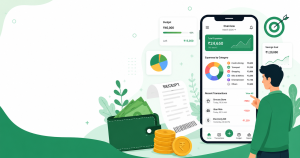
Managing your financial life across multiple platforms can sometimes create security vulnerabilities or make it harder to keep track of everything. A dedicated financial management tool can centralize your data while prioritizing security. Depto Flow helps users track income and expenses, manage budgets, and even track money lent or borrowed, recording repayments and pending balances – all within one secure application. By consolidating your financial tracking, you reduce the number of places your sensitive data is scattered.
For instance, instead of relying on various spreadsheets or notes for different financial aspects, you can centralize your income tracking and expense recording within Depto Flow. This not only simplifies your financial oversight but also enhances security by keeping your data within a single, purpose-built, and protected environment on your phone. Learn how to create separate budgets for spending categories to further organize your finances securely.
Conclusion
Keeping your financial records private on your phone requires a combination of robust device security, smart app usage, and proactive measures. By implementing strong authentication, keeping software updated, being cautious with Wi-Fi, and using reputable apps, you significantly reduce the risk of your sensitive data being compromised. Remember, your financial privacy is paramount.
Take the next step towards secure and organized financial management. Download Depto Flow today to centralize your financial tracking and ensure your data is managed securely. Try Depto Flow now!